Say it.
It's on the list.
SpeakDo turns one spoken sentence into a scheduled task — transcribed, dated, prioritized, and categorized on your iPhone. Not on a server.
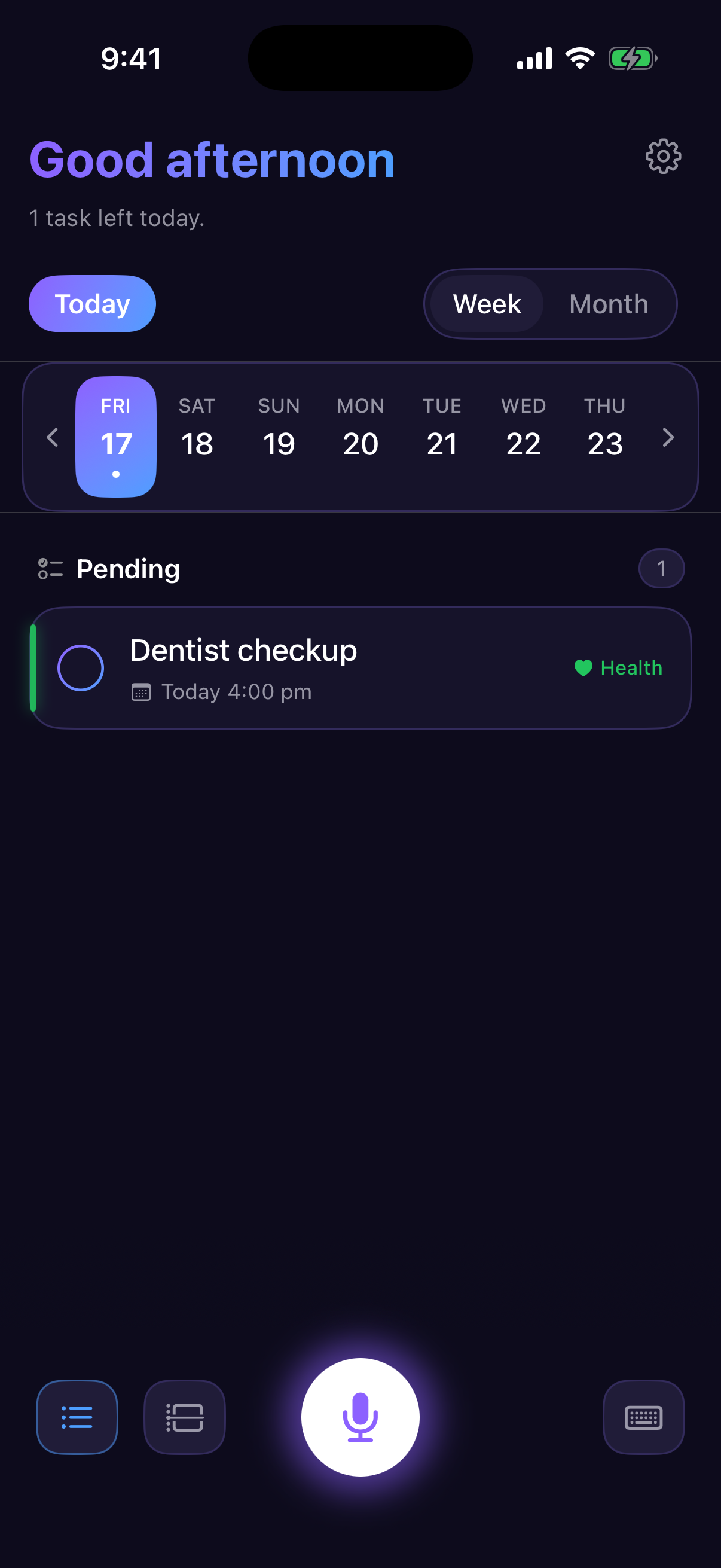
From your voice to a scheduled task in three beats
Speak naturally
Tap the mic and say it the way you'd tell a person: “Dentist tomorrow at nine, remind me.” Recording stops by itself when you go quiet.
Apple Intelligence structures it
The on-device model pulls out the title, date and time, priority, and category. Your audio and your words never leave the phone.
Confirm — or don't
A card shows what was understood. Leave it alone and it saves itself after three seconds; tap it to adjust anything first.
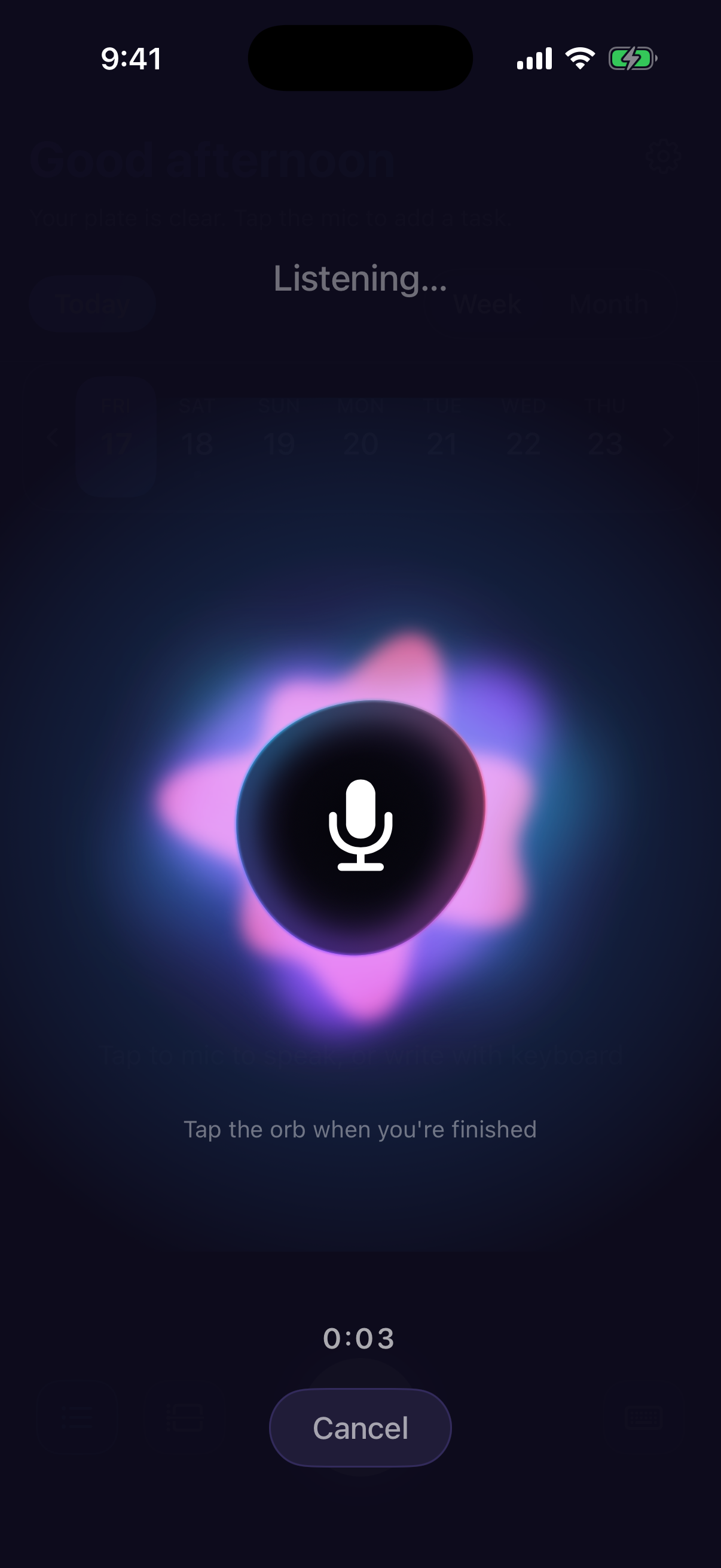
A listening screen that reacts to you
While you talk, a liquid orb pulses with your voice and your words appear live above it. Stop talking, and it wraps up on its own.
- Live transcription as you speak, powered by Apple's on-device speech engine
- Hands-free finish — a configurable silence window ends the recording for you
- No length anxiety — the modern speech engine isn't capped at one minute
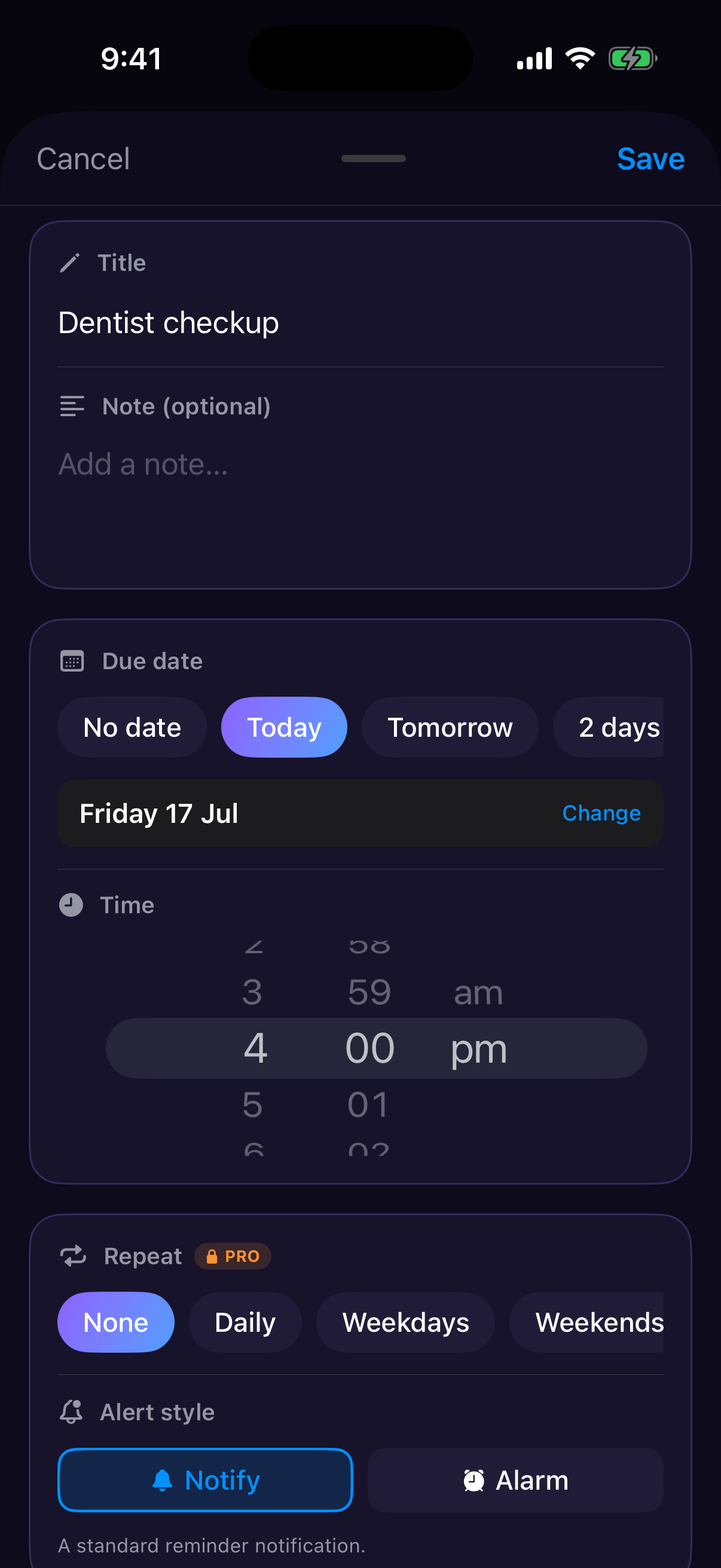
One sentence in. A complete task out.
Every capture lands as a real, structured task — not a transcript you have to clean up later. And everything stays editable.
- Date & time with quick pills, a full calendar, and a time wheel
- Priority — none, low, medium, high, consistently color-coded everywhere
- Categories — six built in, your own with Pro
- Reminders as local notifications, with a default lead time you choose
- Repeats & alarms — say “every morning at 9” and opt into a real alarm that rings through Silent mode and Focus (Pro)
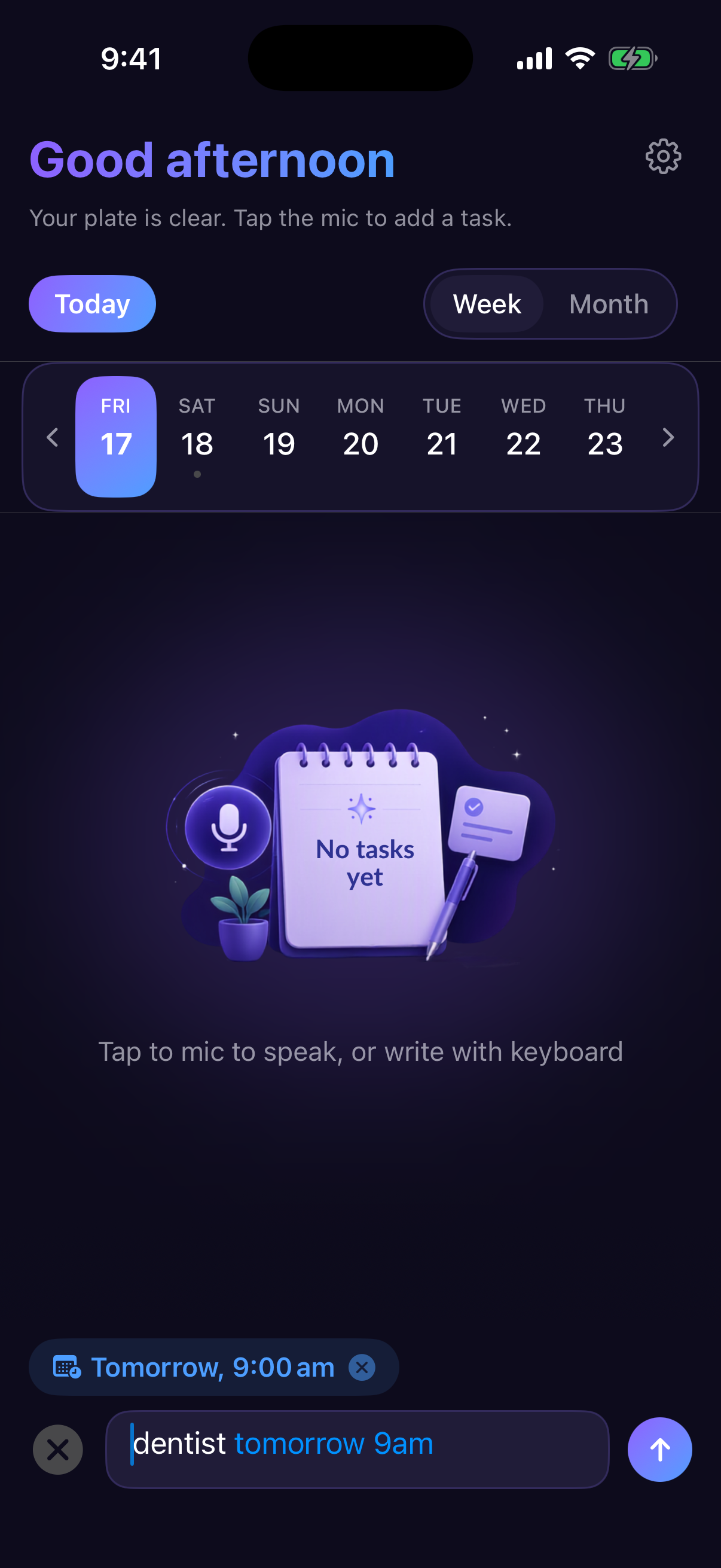
Dates light up while you type
The quick-add bar reads natural language as you write it. Type “dentist tomorrow 9am” and the date words tint blue while a chip above the field shows exactly when the task will land.
- Understands phrases like “next Friday”, “in 2 hours”, “end of month”
- One tap to overrule it — hit the chip's ✕ if those words belong in the title
- Saves instantly — typed tasks skip the AI round-trip entirely
Ask your to-do list a question
Ask AI reads your actual schedule — overdue, today, upcoming, recently done — and answers in plain language. Same on-device model, so the conversation stays on your phone too.
- Daily briefing — a short, personal read on your day, right at the top
- Meaning, not keywords — “my flight” finds the task even if it's titled differently
- Weekly insights in Analytics spot your patterns (Pro)
Private by architecture, not by promise
There is no SpeakDo server. The app has nothing to sync, nothing to log in to, and nothing to sell — the AI features exist precisely because Apple Intelligence made them possible without a cloud.
No account, no sign-in
Open the app, add a task. That's the entire onboarding.
Everything stays on your device
Tasks live in a local database. Speech and AI run on-device.
No analytics, no tracking, no ads
The app phones home to no one. There's nothing to opt out of.
Mic only while you record
The microphone is active during capture and released the moment it ends.
Delete everything, any time
One button in Settings wipes every task and its notifications.
Works without Apple Intelligence too
On devices without it, a simpler built-in parser takes over — nothing is sent anywhere.
Accessible plans.
The free app is fully useful; Pro unlocks the power features with an affordable subscription.
Free
Everything you need to trust it with your day.
- Unlimited typed tasks with live date detection
- 5 voice captures every week with full AI parsing
- Daily AI briefing and Ask AI
- Week strip and month calendar
- Six categories, four priority levels
- Reminders with a default lead time
- Light, dark, or system theme
Pro
7-Day Free TrialJust $0.83 / mo (~58% off).
Or $1.99 / mo on the monthly plan.
- Unlimited voice captures
- Recurring reminders & alarms — say “every morning at 9”
- Day Timeline — your tasks laid out hour by hour
- Analytics with weekly AI insights
- Pomodoro timer that survives backgrounding
- Custom categories with your own icons and colors
- Pinned tasks kept at the top of the list
Prices in USD. App Store pricing varies by region. Purchases are restorable on any of your devices via Settings → Restore Purchases.
Fair questions
Does my voice ever leave my iPhone?
No. Speech recognition uses Apple's on-device engine, and task parsing runs on the on-device Apple Intelligence model. SpeakDo has no server, and the app makes no network calls of its own.
Do I need an account?
No. There is nothing to sign up for, and no email is ever asked for. Your Pro subscription is tied to your App Store account, so it restores on a new phone without any SpeakDo login.
What if my iPhone doesn't support Apple Intelligence?
The app still works. Voice capture falls back to Apple's standard speech recognition, and a simpler built-in parser handles dates and keywords. Typed quick-add's live date detection doesn't depend on Apple Intelligence at all.
The same applies below iOS 26, where Apple Intelligence doesn't exist yet. SpeakDo runs on iOS 18 and later; the AI features — the daily briefing, Ask AI, and weekly insights — need iOS 26 on an Apple Intelligence-capable iPhone (15 Pro or newer). Everything else, including voice capture, recurring reminders, and all Pro features, works on every supported device.
What are the Pro plans?
You can choose between an affordable Monthly ($1.99) or Yearly ($9.99) subscription, each with a 7-day free trial. It unlocks unlimited voice captures, recurring reminders with the alarm alert style, Day Timeline, Analytics with weekly insights, the Pomodoro timer, custom categories, and pinning.
Which languages does it understand?
Voice recognition follows your iPhone's dictation languages. The live date detection for typed input currently understands English phrasing; AI parsing quality is best in languages Apple Intelligence supports.
What do reminders look like?
Standard iOS notifications, scheduled locally on your phone. You choose a default lead time (at the time, or 15, 30, or 60 minutes before), and Pomodoro phase changes can notify you too — even with the app open.
Can it handle repeating tasks — like daily medication?
Yes (Pro). Say “take medicine every morning at 9am” and SpeakDo creates a repeating task — daily, weekdays, weekends, weekly, monthly, or patterns like “every other Tuesday”. For reminders you really can't miss, switch that task's alert style from Notify to Alarm: it rings through Silent mode and Focus and stays up until you dismiss it, like a real alarm clock. You can skip a single occurrence without breaking the series.